Running a local service business is demanding.
Whether you own an HVAC company, plumbing business, roofing company, landscaping service, electrical contracting business, cleaning company, dental office, legal practice, or real estate agency, your day is often filled with customer calls, scheduling changes, estimates, invoices, employee coordination, and marketing tasks.
Many business owners start with simple systems.
A spreadsheet tracks leads.
A notebook tracks appointments.
A phone handles customer communication.
Sticky notes remind everyone what still needs to be done.
These methods may work initially, but as your business grows, they often become difficult to manage.
Missed calls increase.
Follow-ups get forgotten.
Appointments overlap.
Customer information becomes scattered across multiple systems.
The result is frustration for both your team and your customers.
This is where business automation for local service companies becomes valuable.
Automation helps businesses streamline repetitive tasks, improve customer communication, reduce manual work, and create a more consistent customer experience.
In this guide, you’ll learn:
- What business automation is
- Why local service businesses struggle without it
- Signs your company may need automation
- How automation improves efficiency
- The difference between automation and digital transformation
- The automation systems every business should understand
- How to prepare your company for future growth
If you’re new to automation, this beginner-friendly guide will help you understand the fundamentals without overwhelming technical jargon.
What Is Business Automation?
Business automation is the use of software, technology, and predefined workflows to automatically perform repetitive business tasks with minimal human intervention.
Instead of manually completing every step in a process, automation software handles routine activities such as:
- Lead capture
- Customer follow-up
- Appointment scheduling
- Review requests
- Email communication
- Customer record management
- Reporting and analytics
The purpose of automation is not to replace people. Its purpose is to reduce repetitive administrative work so business owners and employees can focus on serving customers and growing the company.
Why This Problem Exists
Most local service businesses do not intentionally create inefficient systems.
The problem develops gradually.
A company starts small.
The owner answers every phone call.
Appointments are written on a calendar.
Customer information is stored in a spreadsheet.
Everything feels manageable.
Then growth happens.
More leads arrive.
More customers call.
More estimates need follow-up.
More appointments require scheduling.
Suddenly, the systems that worked for five customers per week struggle to support fifty.
Common Challenges Local Service Businesses Face
Missed Calls
Customers often contact multiple companies.
If your team misses a call and doesn’t respond quickly, that customer may move on to a competitor.
Slow Lead Response
Response time matters.
When inquiries sit unanswered for hours or days, conversion opportunities may be lost.
Manual Scheduling
Coordinating appointments manually can create:
- Double bookings
- Scheduling conflicts
- Missed appointments
Inconsistent Customer Communication
Some customers receive updates while others do not.
This inconsistency can damage trust and satisfaction.
Administrative Overload
Many business owners spend more time managing operations than actually growing the business.
Lack of Visibility
Without centralized systems, it’s difficult to answer important questions such as:
- Where do most leads come from?
- Which marketing campaigns work?
- How many estimates convert into customers?
As these issues accumulate, they create bottlenecks that limit growth.
Business Automation vs Digital Transformation
These terms are often confused.
While they are related, they are not the same thing.
Business Automation
Business automation focuses on automating specific tasks and workflows.
Examples include:
- Automated appointment reminders
- Automatic review requests
- Lead follow-up sequences
- CRM workflow automation
The goal is efficiency.
Digital Transformation
Digital transformation is a broader business strategy.
It involves changing how a company operates through technology.
Examples include:
- Moving from paper records to cloud software
- Implementing online customer portals
- Integrating multiple business systems
- Using data to guide business decisions
The goal is long-term organizational improvement.
Simple Comparison
| Business Automation | Digital Transformation |
| Automates tasks | Changes business operations |
| Improves efficiency | Improves overall business strategy |
| Often quicker to implement | Usually a long-term initiative |
| Can be implemented one process at a time | Often affects the entire organization |
For most local service businesses, automation is the first practical step toward digital transformation.
Signs Your Business Has Outgrown Manual Processes
Many business owners don’t realize how much time and money inefficient processes are costing them.
Use this checklist to evaluate your current operations.
Self-Assessment Checklist
You may benefit from business automation if:
✓ Leads occasionally disappear without follow-up
✓ Missed calls happen regularly
✓ Customer information is stored in multiple places
✓ Scheduling mistakes occur frequently
✓ Employees repeatedly perform the same administrative tasks
✓ Review requests are sent inconsistently
✓ You struggle to track marketing results
✓ Appointment reminders are handled manually
✓ Customer communication varies between employees
✓ Administrative work consumes most of your day
✓ Growth creates more chaos rather than more efficiency
✓ You cannot easily track business performance metrics
The more boxes you check, the greater the potential value automation may provide.
The Hidden Cost of Staying Manual
Many businesses evaluate automation solely based on software cost.
However, they often overlook the cost of doing nothing.
Manual processes can create:
- Lost leads
- Missed appointments
- Delayed responses
- Lower customer satisfaction
- Administrative inefficiencies
For example:
A plumbing company might spend several hours each week manually confirming appointments.
A cleaning company might spend significant time responding to repetitive customer inquiries.
A roofing company may lose opportunities because estimates are not followed up on consistently.
While these tasks may seem small individually, they can accumulate into substantial operational inefficiencies over time.
How Business Automation Creates Capacity Without Hiring
One of the biggest advantages of automation is that it helps businesses scale operations more efficiently.
Automation can:
- Respond to inquiries instantly
- Schedule appointments automatically
- Send reminders consistently
- Request reviews automatically
- Organize customer information
This doesn’t replace employees.
Instead, it allows employees to focus on higher-value activities such as:
- Customer service
- Sales conversations
- Project management
- Business development
As a result, businesses often improve operational efficiency without immediately increasing administrative staffing.
PART 1 SUMMARY
Business automation for local service companies is not about replacing people or turning your business into a technology company.
It is about eliminating repetitive tasks that consume valuable time and create unnecessary mistakes.
By understanding what automation is, why operational bottlenecks occur, and how manual processes affect growth, you can begin identifying opportunities to improve efficiency and customer experience.
The 7 Core Automation Systems Every Service Business Needs
Many business owners hear the word “automation” and immediately think about complicated software.
In reality, most successful automation systems can be grouped into seven core areas.
Understanding these systems helps you prioritize where to start and avoid purchasing software that doesn’t solve your biggest problems.
1. Customer Relationship Management (CRM) System
A CRM serves as the central hub for customer information.
Instead of storing customer details in spreadsheets, notebooks, email inboxes, and employee memory, a CRM keeps everything organized in one place.
A CRM can store:
- Contact information
- Service history
- Notes
- Estimates
- Invoices
- Follow-up records
- Communication history
Why It Matters
Without a CRM, customer information often becomes scattered.
This can result in:
- Duplicate records
- Missed follow-ups
- Poor customer experiences
- Lost sales opportunities
Common CRM Tools
Beginner:
- Zoho CRM
- HubSpot Free CRM
Intermediate:
- Pipedrive
- Housecall Pro
Advanced:
- GoHighLevel
- ServiceTitan
2. Lead Capture System
Every business needs a reliable method for collecting and organizing incoming leads.
A lead capture system automatically gathers information from:
- Website forms
- Phone calls
- Facebook Lead Ads
- Google Ads
- Online chat inquiries
- Contact forms
Why It Matters
Many local service companies unknowingly lose leads because inquiries never enter a centralized system.
When lead capture is automated:
- Inquiries are recorded immediately
- Staff receive notifications
- Follow-up workflows begin automatically
This helps reduce missed opportunities.
3. Lead Follow-Up Automation System
One of the biggest challenges for service businesses is consistent follow-up.
Customers often request:
- Estimates
- Consultations
- Appointments
But many businesses fail to maintain communication after the initial inquiry.
Lead Follow-Up Automation Can:
- Send instant text responses
- Deliver email confirmations
- Schedule reminders
- Notify staff members
- Trigger future follow-ups
Example
A homeowner requests a roofing estimate online at 9:00 PM.
Instead of waiting until morning, an automated system can:
- Send a confirmation text
- Thank the prospect
- Set expectations
- Schedule follow-up communication
The customer receives immediate attention even when your office is closed.
4. Scheduling & Booking Automation System
Manual scheduling becomes increasingly difficult as a business grows.
Scheduling automation helps customers:
- Book appointments online
- Select available time slots
- Receive confirmations
- Receive reminders
- Reschedule when necessary
Benefits
- Fewer scheduling conflicts
- Reduced administrative workload
- Improved customer convenience
- Better appointment management
Businesses That Benefit Most
- HVAC companies
- Plumbing businesses
- Cleaning services
- Landscaping companies
- Dental practices
- Real estate professionals
Almost any appointment-based business can benefit from scheduling automation.
5. Customer Communication Automation System
Customers expect fast communication.
Many businesses struggle to respond consistently across:
- Phone calls
- Text messages
- Emails
- Website inquiries
- Social media messages
Communication automation helps maintain consistency.
Common Automation Examples
- Appointment reminders
- Service updates
- Follow-up texts
- Missed-call text-back systems
- Customer satisfaction surveys
AI Communication Tools
Modern AI systems can:
- Answer common questions
- Route inquiries
- Schedule appointments
- Respond after business hours
These tools help improve responsiveness while reducing repetitive communication tasks.
6. Review & Reputation Management System
Online reviews have become a major factor in customer decision-making.
However, many businesses rely on customers to leave reviews without ever asking.
Review automation changes that.
Review Automation Can:
- Send review requests automatically
- Trigger requests after completed jobs
- Collect customer feedback
- Monitor review platforms
Benefits
- Increased review volume
- Improved online reputation
- Greater customer trust
- More visibility in local search results
Review generation is often one of the easiest automation wins for local service companies.
7. Reporting & Analytics System
Business owners make better decisions when they have reliable information.
Reporting systems help answer questions such as:
- Which marketing channels generate leads?
- How quickly are leads contacted?
- Which services generate the most revenue?
- What is the customer conversion rate?
- Which employees are handling the most work?
Without reporting systems, businesses often rely on assumptions rather than data.
Automation makes performance tracking easier and more accurate.
Automation Maturity Roadmap
Not every business needs advanced automation immediately.
The best approach is to implement systems gradually as your business grows.
Think of automation as a journey rather than a one-time purchase.
Stage 1: Manual Operations
Characteristics:
- Paper records
- Spreadsheets
- Manual scheduling
- Manual follow-up
- No centralized CRM
Typical Business:
- Solo operators
- New businesses
- Very small teams
Primary Goal:
Create basic organization and consistency.
Stage 2: Foundational Automation
Characteristics:
- CRM implementation
- Online scheduling
- Automated reminders
- Basic email automation
Typical Business:
- Growing local businesses
- Small teams
Primary Goal:
Reduce repetitive administrative work.
Recommended Tools:
- Calendly
- Zoho CRM
- HubSpot CRM
Stage 3: Integrated Systems
Characteristics:
- CRM connected to scheduling
- Marketing automation
- Automated review requests
- Lead nurturing workflows
Typical Business:
- Multiple employees
- Consistent lead flow
Primary Goal:
Improve customer experience and operational efficiency.
Recommended Tools:
- Housecall Pro
- Pipedrive
- ActiveCampaign
Stage 4: AI-Powered Automation
Characteristics:
- AI communication systems
- Automated lead qualification
- Advanced reporting
- Multi-channel workflows
Typical Business:
- Established companies
- High lead volume
Primary Goal:
Scale operations efficiently.
Recommended Tools:
- GoHighLevel
- ServiceTitan
- HubSpot Professional
What Automation Actually Solves
Business owners often purchase software hoping it will solve every operational problem.
The reality is that automation works best when it addresses specific bottlenecks.
Let’s examine the outcomes automation is designed to improve.
Faster Lead Response
Customers increasingly expect immediate responses.
Automation helps businesses:
- Respond after hours
- Acknowledge inquiries instantly
- Route leads appropriately
The result is a better customer experience and fewer missed opportunities.
Better Customer Communication
Customers appreciate transparency.
Automation helps keep them informed throughout the customer journey.
Examples include:
- Appointment confirmations
- Service reminders
- Project updates
- Follow-up messages
Consistent communication reduces uncertainty and improves satisfaction.
Improved Scheduling
Scheduling automation creates a smoother experience for both staff and customers.
Benefits include:
- Reduced phone tag
- Better calendar visibility
- Fewer booking errors
- More efficient appointment management
Review Generation
Many satisfied customers simply forget to leave reviews.
Automation helps by consistently requesting feedback at the right time.
The process becomes repeatable rather than dependent on employee memory.
Reduced Administrative Work
Employees often spend hours each week performing repetitive tasks.
Automation helps reduce time spent on:
- Data entry
- Appointment reminders
- Follow-up emails
- Customer notifications
This allows staff to focus on higher-value activities.
Better Customer Retention
Winning new customers is important.
Keeping existing customers is equally valuable.
Automation helps maintain relationships through:
- Maintenance reminders
- Follow-up campaigns
- Seasonal promotions
- Customer check-ins
These touchpoints encourage repeat business and long-term loyalty.
Mid-Article Resource
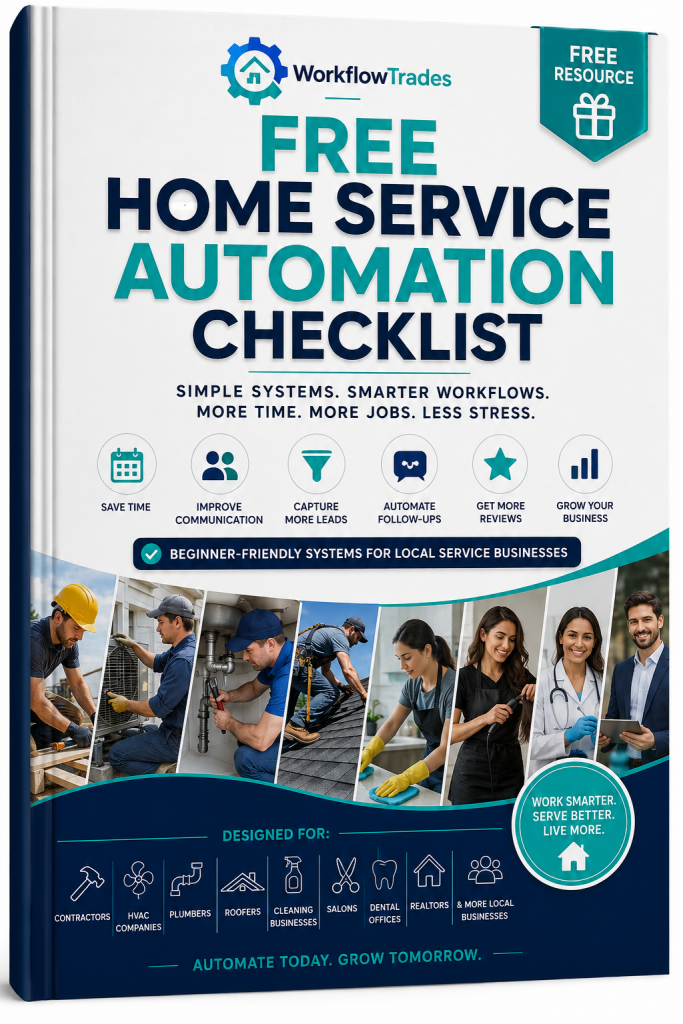
Free Home Service Automation Checklist
Not sure where to start?
Download the Free Home Service Automation Checklist and quickly identify which processes in your business are costing you the most time and opportunities.
Inside you’ll discover:
✓ CRM essentials
✓ Lead follow-up opportunities
✓ Scheduling improvements
✓ Customer communication systems
✓ Review generation strategies
✓ Automation priorities for beginners
Use the checklist to evaluate your current systems and build a practical automation roadmap.
Download the Free Home Service Automation Checklist →
Part 2 Summary
The most successful local service companies rarely automate everything at once.
Instead, they focus on building core systems that improve customer experience and operational efficiency.